FAQ > Your Account Settings
How can I change the email address where I receive all my SimplifyEm communications?
SimplifyEm sends all email notifications to your user account email address by default. If you’d like to receive these notifications at a different email address, you can update it by following these steps:
-
Click your email address in the top-right corner, then select My Account to go to the Account Settings page.
-
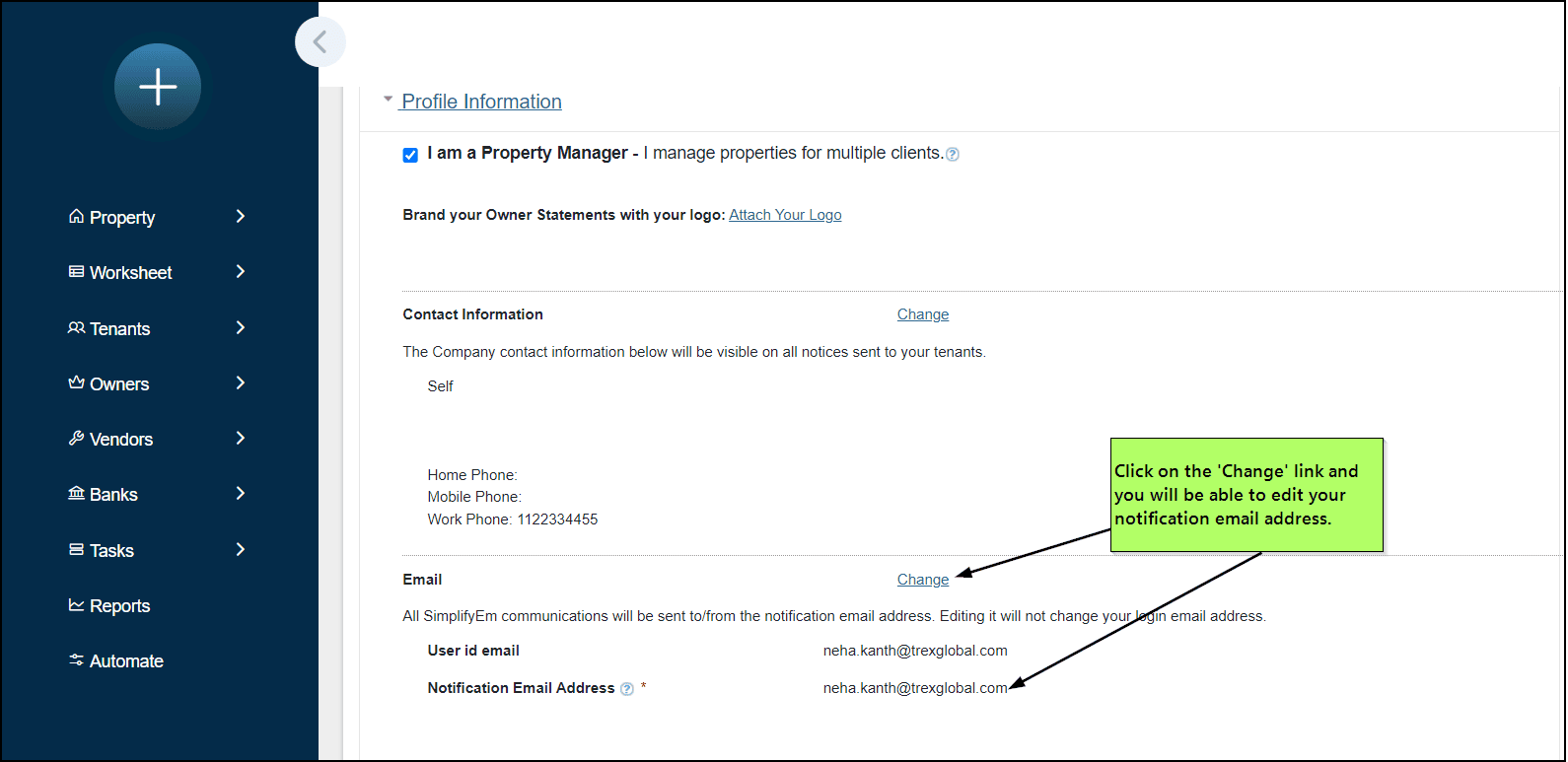
Expand the Profile Information section to view your details.
-
Click Change next to your email address to enter a different address for notifications.