When to Switch Property Management Software: 7 Clear Signs

If your team keeps asking when to switch property management software, the answer is usually hidden in everyday work. Reports take too long, staff rely on spreadsheets, and communication gets scattered across inboxes, texts, and side notes. Those problems do more than waste time. They also create errors, slow responses, and weaken the experience for owners and tenants.
This guide explains seven clear signs that your current platform no longer fits your operation. It also shows how to evaluate the next system before you commit. The goal is not to chase more features. The goal is to choose software that supports accounting, rent collection, reporting, maintenance, and communication with less manual work.
Quick Takeaways
What this article covers
- Software should reduce admin work, not create side systems.
- Manual workarounds, weak reporting, and poor support are common warning signs.
- The best time to switch is before software issues hurt tenants, owners, or staff output.
- A better platform should fit your current workflows and leave room for growth.
- Careful evaluation lowers the risk of switching to another poor fit.
Definition: What It Means to Outgrow Your Software
Simple definition
You have outgrown a platform when it no longer supports the way your business actually runs. That does not always mean the software is bad. It often means your portfolio, reporting needs, staffing, or daily workflows have changed faster than the tool can support them.
In practice, outgrowing software usually means more work is happening outside the system than inside it. Teams start building spreadsheets, repeating manual steps, or tracking key tasks in email and text because the platform no longer keeps pace with daily work.
- reports require exports and cleanup
- staff repeat the same steps every month
- owner or tenant communication lacks one clear history
- basic tasks take too many clicks
- growth adds confusion instead of clarity
Why Staying Too Long Can Cost More
Hidden costs of delay
Many property managers delay a switch because they expect migration pain. That concern is reasonable, but staying with the wrong system has a cost too. Small workflow problems become recurring labor costs when they happen every day.
Those costs often show up in extra bookkeeping time, slower owner reporting, missed follow-up, duplicate data entry, and training issues for new staff. A tool that slows routine work can cost more over a year than a planned transition to a better fit.
| Problem Area | What It Costs You |
|---|---|
| Manual spreadsheets | More time, more errors, and weaker visibility |
| Weak reporting | Slower owner updates and harder month-end work |
| Fragmented communication | Missed follow-up and inconsistent records |
| Slow support | Longer outages and more team frustration |
7 Signs It Is Time to Switch Property Management Software
Sign-by-sign review
If you are wondering when to switch property management software, these are the warning signs to watch. One issue may be manageable. Several happening at once usually mean the platform no longer fits your business.
1. Your team relies on manual workarounds
This is often the earliest sign of poor software fit. Instead of using one platform, your team starts exporting reports, maintaining side spreadsheets, and tracking tasks in outside tools.
- owner notes live in separate documents
- rent reminders are tracked manually
- maintenance updates happen outside the system
- staff use email threads instead of one record
When that happens, the software stops being a system of record. It becomes one more place to check.
2. Reporting is too limited or too slow
Reporting problems create pressure fast. Owners expect clear statements. Teams need accurate rent rolls, delinquency views, and transaction records. If your software makes simple questions hard to answer, it is blocking decisions instead of supporting them.
For tax context, the IRS provides a helpful overview of Schedule E reporting. While that page does not evaluate software, it helps show why complete rental records matter.
3. Your portfolio has changed but the software has not
A system that worked for a smaller portfolio may feel too limited once you add units, owners, staff, or more detailed reporting requirements. Growth changes what “good enough” looks like.
If complexity increases and the platform still feels built for a much simpler operation, switching becomes easier to justify.
4. Support is slow or hard to reach
Support quality matters in property management because problems do not wait. If your team cannot get clear answers during payment issues, onboarding, or month-end reporting, the platform becomes riskier over time.
Reliable support is part of product fit. It is not just a nice extra.
5. Communication feels fragmented
Communication breaks down when tenant, owner, and vendor conversations are spread across separate systems. That makes follow-up harder and weakens team visibility.
6. Basic tasks feel harder than they should
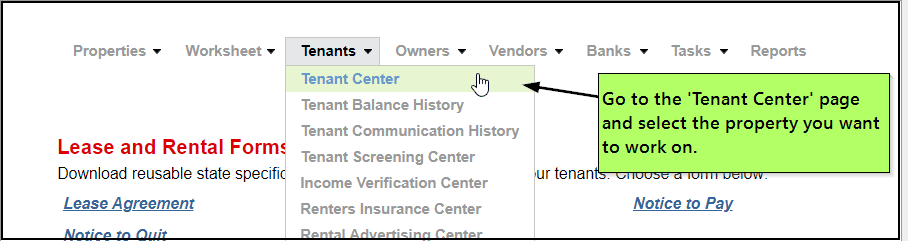
Sometimes the features exist, but daily use still feels clumsy. If common tasks take too many clicks, require repeated training, or confuse new staff, that friction adds up every week.
Usability matters because property management is high frequency work. Small delays repeat across every property and every rent cycle.
7. Pricing no longer matches value
Some teams outgrow low-tier plans and discover that needed functionality sits behind upgrades. Others pay for broad feature sets they barely use. In both cases, the platform is misaligned with the actual business.
If pricing and workflow value no longer match, it is time to compare alternatives more seriously.
A Simple Checklist Before You Decide
Fast self-audit
Use this short checklist to decide if the switching question is becoming urgent.
- your team uses spreadsheets to fill software gaps
- reporting takes too long every month
- owner or tenant communication feels scattered
- new staff need too much training for simple work
- support delays are affecting operations
- pricing feels out of line with actual value
If several items are true at the same time, it is usually time to evaluate better-fit options.
How to Evaluate the Next Platform
Step-by-step review process
Do not switch just because you are frustrated. Switch because a better option clearly solves your current problems. A short evaluation process can prevent one bad fit from becoming another.
- List your biggest workflow problems.
- Separate must-have fixes from nice-to-have upgrades.
- Test reporting, rent collection, maintenance, and communication tasks.
- Ask what onboarding and support are included.
- Compare total workflow value, not just subscription price.
If you want to review a live example, you can look at SimplifyEm’s features and pricing to compare workflow coverage and plan fit.
What a Better Fit Should Include
Core capabilities to review
A stronger platform should make routine work simpler, clearer, and easier to track. It does not need the longest feature list. It needs the right set of tools for your current operation.
- clean accounting and income-expense tracking
- online rent collection
- tenant and lease management
- owner reporting
- maintenance request tracking
- document storage
- clear communication history
- responsive onboarding and support
If you are already convinced a move is coming, the next step is planning the transition itself. This companion guide on how to switch property management software covers the migration side.
FAQ: When to Switch Property Management Software
Common questions
-
How do I know if I have outgrown my property management software?
You have likely outgrown it when daily work depends on spreadsheets, repeated manual steps, slow reports, or scattered communication. A good platform should centralize routine work. If your team keeps building side processes to get basic tasks done, your current system is probably no longer a good fit.
-
When is the best time to switch property management software?
The best time to switch property management software is before recurring system problems start affecting rent cycles, owner reporting, tenant communication, or staff output. Switching early is usually less disruptive than waiting until errors, support delays, and workflow bottlenecks become operational problems.
-
Is switching software always necessary when a team is frustrated?
No. Some issues come from poor setup, weak training, or underused features. That is why a short evaluation matters. If the main problems come from workflow mismatch, limited reporting, or poor support, then a software switch may be the more practical answer.
-
What should I compare when reviewing replacement platforms?
Focus on the work your team does most often. Review accounting, rent collection, maintenance, owner reporting, communication history, onboarding, and support responsiveness. A platform should make high-frequency tasks easier. It should not just look good in a feature checklist or sales demo.
-
Can smaller landlords benefit from switching software too?
Yes. Smaller landlords switch when they want simpler accounting, easier online rent collection, clearer records, or less time spent on admin work. The right fit is not about being large. It is about whether the platform supports your actual workflows without adding unnecessary friction.
Conclusion: Switch Before Friction Becomes Normal
Final recommendation
Knowing when to switch property management software comes down to one simple test: is your current system making daily work easier or harder? If reporting is slow, communication is scattered, support is weak, or your team depends on manual workarounds, the software is likely costing more than it saves.
The best replacement will fit your current portfolio, improve routine workflows, and support growth without forcing constant side processes. If you are ready to compare options, review SimplifyEm’s features and pricing or start a free trial to see whether the platform is a better operational fit.
Sources:
when-should-you-switch-property-management-software-7-signs-wordpress.html Displaying when-should-you-switch-property-management-software-7-signs-wordpress.html.