• Skip to primary navigation
  • Skip to main content
  • Skip to primary sidebar
SimplifyEm Property Management Software Logo

510-790-9066
510-790-9066
》Sign In
  • Features
    • Accounting Software
    • Reconciliation
    • Tenant Screening
    • 1099 E-filing
    • Reports
    • Communication Center
    • Integrated Rental Application
    • Rental Listing
    • Online Rent Payments
    • Tenant Portal
    • AI in Property Management
  • Property Management
    • Online Rent Payments
    • Tenant Screening
    • Rental Listings
    • SimplifyEm CRM
    • FAQ
  • Rental Forms
    • Lease Agreement
    • Rental Application
    • Notice to Vacate
    • Notice to Quit
    • Lease Termination
    • Notice to Pay Rent
    • Rental Inspection
    • Eviction Notice
  • Pricing
  • Reviews
  • Schedule Demo
  • FREE TRIAL!
  • 》​Sign​ In

Landlord Software

How to Switch Property Management Software: A Migration Checklist

Filed Under: Property Management Software Tagged With: Landlord Software, Property Management Checklist, Property Management Software, Software Migration

How to switch property management software with a migration checklist
A structured migration checklist helps property managers change systems with less disruption and fewer surprises.

If you already know a change is needed, the next question is how to switch property management software without disrupting accounting, payments, reporting, or communication. A rushed move can create new problems fast. A planned move gives your team a cleaner path into the new system and lowers the risk of missing records, broken workflows, or tenant confusion.

This migration checklist walks through the steps that matter most before, during, and after the switch. It covers data cleanup, accounting review, role setup, communication planning, workflow testing, and post-launch checks. The goal is simple: move into a better-fit platform without losing control of the details that keep property management running.

Quick Takeaways

What this checklist helps you do

  • clean up data before export
  • protect accounting and reporting continuity
  • map high-frequency workflows before launch
  • train staff and communicate changes clearly
  • test the new system before and after go-live

Definition: What a Migration Checklist Is

Simple definition

A property management software migration checklist is a step-by-step plan for moving records and daily workflows from one platform to another with as little disruption as possible. It helps teams organize what must be preserved, what needs review, and what must be tested before the new system becomes the main source of truth.

The checklist matters because software changes are not only technical projects. They are operational projects. You are moving accounting, tenant records, owner reporting, maintenance workflows, documents, permissions, and communication habits at the same time.

Why Software Migrations Go Wrong

Common causes of trouble

Most software migrations do not fail because the new platform is unusable. They fail because teams move too fast, carry over messy data, or skip testing. That turns small setup mistakes into live business problems.

  • duplicate or outdated records get imported
  • payment settings are not fully checked
  • owner statements are not validated
  • staff training starts too late
  • tenants and owners do not know what is changing

A migration checklist reduces those risks by forcing review before launch instead of cleanup after launch.

How to Switch Property Management Software Step by Step

Core migration process

If you want to know how to switch property management software with fewer surprises, follow a sequence that protects records first and convenience second. The exact order may vary by platform, but these steps cover the process most teams need.

1. Define what must be preserved

Before exporting anything, list the records and workflows that must survive the move. Do not rely on memory once migration work starts.

  • active properties and units
  • tenant contact details and lease dates
  • owner records and ownership structure
  • vendor contacts
  • open balances and recurring charges
  • banking and payment settings
  • documents, attachments, and notices
  • reporting history needed for operations or taxes

2. Clean data before export

Bad data does not improve when it enters a new system. This is the right moment to remove duplicates, fix naming issues, archive inactive records, and close items that should no longer be open.

If your current process depends on spreadsheets, decide which workflows should disappear and which need a clear replacement inside the new platform.

3. Protect accounting and reporting continuity

Accounting is usually the highest-risk area during a switch. Your team needs confidence that balances, statements, deposits, and transaction records still make sense after go-live.

For tax context, the IRS overview of Schedule E reporting is a useful reminder of why organized rental records matter.

Record Type Why You Need to Validate It
Rent roll Confirms occupancy, charges, and active leases
Owner statements Protects owner visibility and trust
Income and expense history Supports bookkeeping continuity
Security deposits Prevents balance and liability confusion
Open receivables and payables Keeps live obligations from getting lost

4. Map your core workflows before setup

Do not configure the new platform blindly. First identify the tasks your team performs most often. Those are the workflows that deserve the deepest testing.

  • rent billing and rent collection
  • owner reporting
  • maintenance intake and follow-up
  • tenant communication
  • lease renewals
  • vendor payments

If you want to review a live example of platform setup and capabilities, you can compare SimplifyEm’s features and pricing and then watch the demo video.

5. Review payments, banking, and automation

Payment setup errors create immediate frustration. Verify how the new system handles online payments, recurring charges, late fees, receipts, owner payouts, and automated notices before the first live rent cycle.

If online collections are central to your operation, review how the platform handles online rent payments before cutover.

6. Confirm documents, portals, and communication history

Teams often focus on accounting and forget that document access and communication history also matter. Preserve the records people use every day, not just the ones that appear in reports.

  • lease files
  • tenant notices
  • owner documents
  • vendor records
  • maintenance attachments
  • portal access settings

If maintenance tracking is one reason for the move, review workflows for maintenance requests and work orders before launch.

7. Set user roles and train the team

A migration can look correct on paper and still fail in practice if staff do not know how to use the new setup. Training should happen before full go-live, not after a week of confusion.

  1. Decide who needs access to which parts of the system.
  2. Set permissions before training starts.
  3. Walk each role through its most common tasks.
  4. Document the new process for rent, maintenance, and reporting.
  5. Collect open questions before launch day.

8. Communicate the change clearly

Even a technically clean migration can confuse tenants, owners, and vendors if communication is late or vague. A short notice with clear dates and next steps is usually more helpful than a long announcement.

  • what is changing
  • when it is changing
  • whether payment instructions will change
  • whether portal logins will change
  • who should be contacted with questions

9. Run a pre-launch test

Test the new system like a real user would. Do not limit the review to setup screens. Run sample tasks before go-live so the team can catch obvious issues while there is still time to fix them.

  • post a rent charge
  • record a payment
  • generate an owner statement
  • review a rent roll
  • submit a maintenance request
  • open a stored document

If tenant screening is part of your leasing process, also confirm how the new platform handles tenant screening for rental applicants.

10. Perform a post-migration quality check

After launch, review the system again within the first few days and at the first monthly close. Hidden setup issues often appear only after live use begins.

Focus on balances, statements, open items, automation timing, staff adoption, and repeated user questions. Early fixes are much easier than later cleanup.

Migration Checklist Summary

Short version

  • list the records and workflows that must be preserved
  • clean data before export
  • validate accounting and reporting records
  • map and test high-frequency workflows
  • review payments, automation, and banking settings
  • preserve documents and portal access
  • train staff by role
  • communicate changes early
  • run a pre-launch test
  • audit the system after go-live

FAQ: How to Switch Property Management Software

Common migration questions

  • How long does it take to switch property management software?

    The timeline depends on portfolio size, data quality, and workflow complexity. Smaller landlords may move faster, while larger property managers often need staged review, setup, testing, and training. The safer approach is to set a realistic schedule instead of pushing for the fastest possible cutover.

  • What data should I move into the new system?

    Most teams need active property, unit, tenant, lease, owner, vendor, accounting, payment, and document records. The exact list varies by operation, but missing lease terms, open balances, or statement history can create the biggest problems after launch, so those records deserve careful validation.

  • What is the biggest risk during a migration?

    The biggest risk is incomplete planning. Teams usually run into trouble when they move messy data, skip payment testing, or fail to validate reporting before go-live. The software itself may be fine, but poor preparation can still create confusion, delays, and accounting cleanup work.

  • Should I keep access to the old software after the switch?

    Yes, if possible. Read-only access to the old system is useful for report validation, document retrieval, and troubleshooting while the new setup settles in. Temporary overlap lowers stress because your team can verify records without guessing where historical information went.

  • How can I reduce disruption for tenants and owners?

    Communicate early and keep the message simple. Explain what is changing, when it is happening, whether logins or payment steps will change, and who should answer questions. Short, direct instructions usually reduce confusion better than long announcements filled with extra detail.

Conclusion: Plan the Switch Like an Operations Project

Final recommendation

Learning how to switch property management software is really about control, not speed. A good migration checklist protects accounting, reporting, documents, communication, and payment workflows while giving your team a clear path into the new system. The more carefully you prepare, the less disruptive the launch is likely to be, and the easier it becomes to catch issues before they affect owners or tenants.

If you are evaluating what a better setup could look like, review SimplifyEm’s features and pricing, watch the demo, or start a free trial. A strong migration plan should not just help you leave one system. It should help you land in a better one with less operational friction.

Sources:

  • IRS – About Schedule E (Form 1040)


How to Choose Property Management Software You Won’t Outgrow

Filed Under: Property Management Software Tagged With: Landlord Software, Property Management Software, scaling, software selection

Property managers reviewing long-term software fit
Future-fit software planning keeps your portfolio from switching platforms every time you grow.

Choosing a platform that feels great today is easy. Choosing one you will not outgrow in two years is harder. A better process looks beyond the feature checklist and evaluates scalability, support, and roadmap alignment. This guide shows you how to evaluate property management software you won’t outgrow so your next move lasts.

We will walk through future-fit criteria, questions to ask, and a comparison framework that matches portfolio stages to software requirements.

Quick Takeaways

Why future-fit matters

  • Growth introduces new units, owners, and compliance obligations—software must keep up.
  • Scaling portfolios need reliable support, automation, and integrations.
  • Evaluations should consider data ownership, reporting depth, and roadmap visibility.
  • A structured scoring model prevents short-term pricing from overshadowing long-term fit.
  • Choosing well now reduces migration costs and staff disruption later.

Definition: Future-Fit Software Evaluation

Simple definition

A future-fit software evaluation compares your growth plan against a platform’s scalability, support, customization, and innovation roadmap. The goal is to pick a system that serves today’s workflows while leaving headroom for the portfolio, services, and reporting standards you expect in 12–36 months.

That means weighing total cost of ownership, support maturity, API access, automation depth, and change-management resources—not just initial features.

Why Outgrowing Software Is Expensive

Context from industry research

The ULI/PwC Emerging Trends in Real Estate 2026 report highlights rising tenant expectations, AI-assisted workflows, and owner demand for richer reporting. At the same time, the U.S. Bureau of Labor Statistics projects steady growth for property, real estate, and community association managers. In short: more work, higher standards, and limited staffing headroom.

When software cannot scale, teams end up rebuilding workflows in spreadsheets, overpaying for unused modules, or switching platforms again—each scenario costs time, money, and trust.

Step-by-Step: How to Choose Software You Won’t Outgrow

Evaluation workflow

  1. Map your growth plan. Document expected unit counts, services, and staffing for the next 3 years.
  2. List must-keep workflows. Identify accounting, leasing, maintenance, and communication tasks that cannot break.
  3. Score platform capabilities. Evaluate automation, reporting, support, integrations, and customization options.
  4. Validate roadmap access. Ask for roadmap briefings or release notes to confirm ongoing innovation.
  5. Model total cost. Include per-unit fees, payment costs, add-ons, and potential training hours.
  6. Check references. Talk to similar-sized customers about their growth experience on the platform.
  7. Stress-test with pilots. Configure a sandbox for representative properties before signing a long contract.

Portfolio Stage vs. Requirements

Comparison table

Portfolio Stage Primary Needs Future-Fit Requirements Questions to Ask Vendors
Emerging (1–50 units) Simplicity, core accounting, online payments Easy upgrade paths, affordable automation, responsive support How do you price as I add doors? Can I enable advanced modules later?
Scaling (50–300 units) Automation, owner reporting, maintenance coordination Role-based permissions, workflow templates, multi-property dashboards What reporting customization options exist? How do you handle multi-portfolio statements?
Expanding (300+ units) Integrations, API access, deep analytics Dedicated account teams, roadmap influence, advanced automation How can I connect BI tools or external accounting systems? What’s your integration roadmap?

Key Evaluation Criteria

1. Workflow depth & automation

  • Does the software automate recurring charges, late fees, and owner payouts?
  • Can you configure maintenance categories, SLAs, and vendor workflows?
  • Are there built-in reminders, templates, or AI-assisted routing?

Review SimplifyEm’s maintenance workflow overview to benchmark what good automation looks like.

2. Reporting and data access

  • Can you build custom owner statements and drill down to ledger-level detail?
  • Are exports available in common formats with transaction IDs?
  • Do you retain data ownership if you leave the platform?

3. Support and success services

  • Is live support available via phone, text, and email?
  • Do you get onboarding specialists and training resources at no extra cost?
  • Are knowledge bases and status pages kept current?

SimplifyEm highlights its support commitment; use it as a yardstick when comparing vendors.

4. Integration & roadmap transparency

  • Does the platform publish release notes and roadmap themes?
  • Are there APIs or native integrations with accounting, BI, or CRM tools?
  • How quickly does the team respond to feature requests?

Ask to see recent releases. If updates slow down, you could end up stuck with static functionality.

5. Total cost of ownership

  • How do per-unit fees scale? Are there price caps as you grow?
  • What are the payment processing, screening, texting, or automation add-on costs?
  • How much staff time will implementation and training require?

Model conservative and aggressive growth scenarios so you understand best- and worst-case spending.

FAQ: Choosing Software You Won’t Outgrow

Common buyer questions

  • How far ahead should I plan?

    Plan at least 24–36 months out. Even moderate growth can double your workload, so the platform should handle at least twice today’s unit count without new contracts or migrations.

  • Do I really need API access?

    Maybe not today, but integrations become essential once you add BI tools, custom dashboards, or third-party accounting. Ask vendors to show available endpoints or integration partners.

  • What if my budget is limited?

    Prioritize platforms with tiered pricing so you can start lean and unlock advanced modules later. Make sure the vendor does not force a new contract when you upgrade.

  • How do I compare support quality?

    Review SLAs, support hours, and escalation paths. Talk to references about response times and the quality of onboarding assistance.

  • Should I still pilot if I already use the vendor?

    Yes. Run pilots for new modules or major workflow changes so you can test reporting, automation, and support responsiveness before rolling them portfolio-wide.

Conclusion: Buy for Tomorrow, Not Just Today

Next steps

Future-proof software decisions start with honest growth plans, structured evaluations, and clear scoring models. When you choose a platform that can adapt with you, you reduce migration costs, keep staff focused, and deliver a better experience to tenants and owners.

Ready to evaluate a platform built for simplicity today and growth tomorrow? Review SimplifyEm’s features, watch the demo, or start a free trial to see how it scales with your portfolio.

Sources:

  • ULI/PwC – Emerging Trends in Real Estate 2026
  • U.S. Bureau of Labor Statistics – Property, Real Estate, and Community Association Managers

Common Property Management Software Migration Mistakes and How to Avoid Them

Filed Under: Property Management Software Tagged With: change management, Landlord Software, Property Management Software, Software Migration

Team analyzing software migration risks on a whiteboard
A careful migration review prevents avoidable mistakes that can ripple across a growing portfolio.

Every software switch comes with risk. Even experienced property managers can overlook steps that protect accounting, communications, and tenant experience. Knowing the most common property management software migration mistakes helps you build safeguards into your plan before a single record moves.

This article breaks down the mistakes that cause the most pain—messy data, missing backups, weak communication, and go-live rush—and gives you specific countermeasures so your migration feels controlled instead of chaotic.

Quick Takeaways

What you will learn

  • The top errors property teams make during migrations
  • Why each mistake happens and how to spot it early
  • How to layer backups, communication plans, and training
  • Ways to align timelines with real workload capacity
  • How to convert lessons learned into future playbooks

Definition: Migration Mistake Audit

Simple definition

A migration mistake audit is a structured review of failure points before, during, and after a software transition. It documents the risks that could break accounting, reporting, payments, or stakeholder communication and assigns preventive actions to each one.

This audit is most effective when it includes accounting, operations, support, and leadership so blind spots are surfaced early.

Why Migrations Fail So Often

Context for property teams

McKinsey estimates that approximately 70% of digital transformations miss their goals, largely because organizations underestimate the amount of planning and change management required. Property managers face the same exposure: they are juggling sensitive financial data, regulated communication, and real-time tenant needs.

Preventing migration mistakes means treating the project like a mission-critical change initiative, not a quick software swap.

Step-by-Step: Mistake Prevention Checklist

Sequential safeguards

  1. Catalog high-risk workflows. List every workflow that touches residents, owners, vendors, or regulators.
  2. Assign owners. Put names next to data cleanup, communication, training, and validation tasks.
  3. Document assumptions. Note anything you are taking for granted (e.g., data formats, payment timing) and verify it.
  4. Stage backups. Create offline, secure backups of key datasets before any import/export.
  5. Test iteratively. Run mini go-lives in a sandbox, then include real users in UAT before cutover.
  6. Communicate in waves. Send internal updates first, then external notices that explain what, when, and who to contact.
  7. Staff a command center. Dedicate people to monitor support channels during the first billing cycle.
  8. Record lessons learned. Capture issues immediately so the next migration wave improves.

Common Mistakes and Fixes

Table of pitfalls

Mistake What Goes Wrong How to Avoid It
Dirty or incomplete data exports Duplicate tenants, missing balances, inaccurate reports Run trial balances, purge inactive records, and reconcile before exporting
No independent backups Irreversible data loss if an import fails Follow CISA’s backup guidance with offline copies and documented restore steps
Rushed communication Tenants/owners miss key changes, causing support spikes Use a staged communication plan inspired by Prosci’s change-management sequencing
Insufficient training Staff reverts to old tools or creates side spreadsheets Deliver role-based sessions plus recorded refreshers before go-live
Skipping post-launch audits Small discrepancies become month-end rework Schedule daily reconciliations and KPI reviews for the first 30 days

Mistake #1: Migrating Messy Data

How to fix it

Bad data follows you. Clean your rent rolls, vendor lists, owner records, and open balances before you export.

  • Balance ledgers and document any manual adjustments.
  • Tag properties by priority so you can stagger imports if needed.
  • Store copies of statements and leases in organized folders for reference.

Use SimplifyEm’s features reference to confirm every field you depend on has a matching home in the new platform.

Mistake #2: Forgetting Resilient Backups

How to fix it

Imports fail, files corrupt, and human error happens. CISA recommends maintaining secure, offline backups plus a documented restore plan for critical business data.

  • Create at least two backups (cloud + offline) before each major import.
  • Protect backups with access controls and encryption.
  • Test restoring a subset of data so you know the process works.

Mistake #3: Weak Communication Plans

How to fix it

Communication failures cause payment delays and unnecessary support tickets.

  • Follow a Prosci-style sequence: explain the “why,” preview the timeline, then provide action-specific reminders.
  • Send targeted instructions to tenants, owners, and vendors rather than one generic email.
  • Keep FAQs handy so support teams can copy accurate answers quickly.

Link to helpful resources like SimplifyEm’s demo video when you need to illustrate the new experience.

Mistake #4: Underestimating Training and Support

How to fix it

Staff are more likely to stick with the new system when training is role-specific and easy to revisit.

  • Offer short sessions for accounting, leasing, maintenance, and leadership.
  • Record every session for new hires and refresher needs.
  • Publish a support escalation path (internal lead → vendor support) before go-live.

Mistake #5: Declaring Victory Too Soon

How to fix it

The first billing cycle after go-live is when hidden issues surface.

  • Reconcile bank accounts, owner ledgers, and rent rolls daily.
  • Track maintenance tickets and response times to ensure workflows still perform.
  • Review KPIs (collection rate, support volume, portal adoption) weekly until they stabilize.
  • Document lessons learned to improve the next migration wave.

FAQ: Avoiding Migration Mistakes

Common questions

  • What is the most expensive migration mistake?

    Data loss or corruption is usually the most costly because it affects accounting, compliance, and trust. That is why redundant backups, reconciliation, and documented restore plans matter so much.

  • How early should communication start?

    Internal notices should begin as soon as the project is scoped. External communication should start 2–4 weeks before go-live, then repeat closer to the change so tenants and owners are ready.

  • Do I need a pilot group?

    A pilot group catches issues faster. Start with one property type or region, refine the process, then roll out to the rest of the portfolio with fewer surprises.

  • How do I measure success?

    Track KPIs tied to operations: on-time rent collection, maintenance response time, owner report accuracy, support ticket volume, and staff adoption rate. Stable or improved metrics indicate a healthy migration.

Conclusion: Plan for Mistakes Before They Happen

Next steps

Mistakes are preventable when you know where they usually appear. Use this checklist to strengthen your migration playbook, layer backups, improve communication, and dedicate time for post-launch audits. The more deliberate you are, the smoother the switch feels for everyone.

Ready to implement a platform designed for practical operations? Explore SimplifyEm’s features, watch the demo, or start a free trial and pair it with the migration safeguards above.

Sources:

  • McKinsey – Perspectives on Transformation
  • CISA – Back Up Business Data
  • Prosci – Change Management Communication Plan

Property Management Software Implementation Checklist for Growing Portfolios

Filed Under: Property Management Software Tagged With: implementation, Landlord Software, onboarding, Property Management Software

Property management implementation checklist on a clipboard
A clear implementation checklist keeps every phase of the software rollout on track.

Switching to a better platform is only half the battle. The bigger challenge is executing an implementation that keeps accounting accurate, staff confident, and owners informed. Growing portfolios cannot afford messy cutovers or multi-week productivity drops. That is why a disciplined property management software implementation checklist is essential.

This guide organizes implementation tasks into a repeatable playbook. You will see how to stage data cleanup, workflow mapping, configuration, training, testing, communication, and post-launch monitoring so your team can scale without constant firefighting.

Quick Takeaways

Why an implementation checklist matters

  • It gives every stakeholder clarity on sequencing, owners, and deliverables.
  • It reduces rework by catching issues before the new system goes live.
  • It keeps accounting, maintenance, and communication workflows aligned.
  • It sets realistic expectations for data migration, training, and stabilization.
  • It scales easily as you add new properties, staff, or service lines.

Definition: What an Implementation Checklist Includes

Simple definition

An implementation checklist is a structured list of tasks, owners, and checkpoints that guides a team from contract signature through post-launch stabilization. It covers data preparation, configuration, integrations, workflow testing, training, communication, and success measurements.

Unlike a marketing one-pager, a checklist is operational. It identifies the exact steps required to preserve accounting accuracy, tenant communications, and owner-facing reporting inside the new platform.

Why Growing Portfolios Need Structure

Avoid chaos as doors increase

The Project Management Institute’s Pulse of the Profession reminds leaders that disciplined execution is what separates successful change from stalled initiatives. Growing property firms juggle more stakeholders, more data, and tighter service expectations. Without a clear plan, even minor missteps (like unbalanced ledgers or missing rent rules) can multiply across hundreds of units.

Government watchdogs echo the same message. The U.S. Government Accountability Office calls out the need for defined milestones, legacy disposition plans, and stakeholder communication whenever agencies modernize core systems. That guidance translates directly to property management: success requires explicit steps, assigned owners, and documented validation.

Step-by-Step Implementation Checklist

Sequential plan

  1. Confirm scope and success metrics. Define which portfolios, workflows, and reports must be live on day one.
  2. Audit current data. Clean rent rolls, balances, vendor files, and documents before export.
  3. Map workflows. Document how rent billing, maintenance, communications, and reporting will run inside the new platform.
  4. Configure and integrate. Set up chart of accounts, automation rules, portals, and banking connections.
  5. Train by role. Provide tailored sessions for accounting, leasing, maintenance, leadership, and owners.
  6. Communicate externally. Notify tenants, owners, and vendors about timeline, portal changes, and payment instructions.
  7. Test end-to-end. Run pilot transactions, statements, and maintenance tickets before go-live.
  8. Stabilize and review. Monitor adoption, reconcile balances, and capture lessons for the next rollout wave.

Implementation Phases at a Glance

Phase summary table

Phase Primary Focus Core Owner Key Deliverables
Planning Scope, metrics, timeline, risk log Executive sponsor + project lead Charter, checklist, communication plan
Preparation Data cleanup, workflow mapping Accounting + operations managers Validated exports, workflow diagrams
Configuration System setup, integrations, automations Implementation specialist + IT Sandbox configured, banking connected
Training & Communication Role-based enablement, stakeholder updates Team leads + support Training agenda, external notices
Cutover & Stabilization Testing, go-live support, retrospectives Project team + executive sponsor Go-live report, KPI dashboard, lessons learned

Detailed Checklist Items

Data and accounting readiness

Start with the ledgers. Confirm that open balances, deposits, and owner statements reconcile before migrating.

  • Run a trial balance and note any anomalies that must be fixed first.
  • Tag inactive units, archived leases, or former owners so they are handled properly.
  • Export supporting documents (leases, invoices, owner reports) and store them in organized folders.
  • Decide which historical years you will import vs. store externally for reference.

Use SimplifyEm resources such as the Features & Pricing page and demo video to confirm accounting and reporting capabilities match your needs.

Workflow configuration

Translate your process documentation into live settings.

  • Set up recurring charges, late fee rules, and ledger categories that match your chart of accounts.
  • Configure online rent collection and verify the online rent payment workflow end-to-end.
  • Create maintenance categories and response templates so work orders route correctly.
  • Customize owner and tenant portal messaging to prevent confusion.

Training and change management

Implementation succeeds when people adopt the new workflows.

  • Schedule small-group sessions for accounting, leasing, maintenance, and leadership.
  • Provide recordings and quick-reference guides for future hires.
  • Show teams where to find support articles or contact information.
  • Collect feedback daily during the first weeks to address friction fast.

Testing, cutover, and communication

Testing should mirror real-life work.

  • Post sample rent charges, accept payments, and generate owner statements in a sandbox.
  • Log maintenance tickets, assign vendors, and close them to confirm notifications work.
  • Send staged emails or texts to ensure deliverability and branding.
  • Share a concise go-live timeline with tenants, owners, and vendors so they know what to expect.

Post-launch stabilization

The first 30 days determine whether the rollout sticks.

  • Reconcile bank accounts daily until balances prove stable.
  • Track support tickets to spot repeated questions or workflow gaps.
  • Use dashboards to monitor rent collection, maintenance SLAs, and owner statement delivery.
  • Document lessons learned to accelerate the next batch of doors or services you onboard.

FAQ: Property Management Software Implementation

Common rollout questions

  • How long does implementation usually take?

    Small portfolios can complete setup in a few weeks, while larger portfolios may need 60–90 days. Timeline depends on data quality, workflow complexity, staffing capacity, and whether you stage the rollout by property type or region.

  • Who should lead the project?

    Assign a cross-functional lead who understands accounting, operations, and technology. They should report to an executive sponsor who can clear obstacles, approve decisions, and keep the team accountable to the checklist.

  • What metrics show the rollout is working?

    Watch rent collection timing, maintenance response times, owner report accuracy, support ticket volume, and staff adoption of new workflows. Improvement or stability in these metrics indicates the implementation is succeeding.

  • Should I keep the old software during transition?

    Yes, maintain read-only access until the new system produces reliable statements and reports. Having a fallback reference helps you resolve discrepancies quickly during stabilization.

  • How do I handle new property onboarding mid-project?

    Create a repeatable mini-checklist for each new property. Apply the same data cleanup, workflow review, and communication steps on a smaller scale so you do not interrupt the core implementation timeline.

Conclusion: Treat Implementation Like an Operations Project

Next steps

Your investment in new software should free your team—not add stress. A thoughtful implementation checklist aligns people, processes, and data so growth feels intentional instead of chaotic. Once the plan is documented, you can delegate confidently, measure progress, and scale with less friction.

Ready to see how SimplifyEm supports a smoother rollout? Review features and pricing, watch the demo video, or start a free trial to explore onboarding resources in detail.

Sources:

  • Project Management Institute – Pulse of the Profession 2024
  • U.S. Government Accountability Office – IT Modernization Best Practices

Questions to Ask Before Switching Property Management Software

Filed Under: landlord software, Property Management Software Tagged With: due diligence, Landlord Software, Property Management Software, software switching

Property managers reviewing questions before switching software
Use a structured question list before you commit to new property management software.

Switching platforms is easiest when you know exactly what to ask vendors, internal stakeholders, and current customers. The right questions to ask before switching property management software uncover workflow gaps, support realities, and hidden costs long before a migration begins. The wrong or incomplete questions can leave you with the same frustrations you are trying to escape—just with a fresh contract.

This guide builds a structured interview list so you can stress-test any platform before signing the order form. It covers timing signals, due-diligence steps, question categories, and detailed prompts you can use with vendors, references, and your own team. The outcome is a confident decision rooted in facts rather than assumptions.

Quick Takeaways

Why this question list matters

  • It keeps evaluation grounded in operations, not just feature demos.
  • It exposes support, training, and data limitations before a contract is signed.
  • It gives you a reusable checklist for future software reviews.
  • It pairs naturally with migration planning and implementation checklists.
  • It helps you align internal stakeholders around objective decision criteria.

Definition: What a Switching Question Framework Is

Simple definition

A switching question framework is a structured list of prompts covering support, data, costs, workflows, and long-term fit. It guides conversations with vendors, references, and your team so you can verify whether a new platform actually solves the problems pushing you to switch.

Unlike a generic RFP, a question framework focuses on the daily work your team needs to protect. It also records the specifics of each answer, so you can compare vendors on evidence rather than marketing language.

Signals It Is Time to Start Asking Tough Questions

When to run the due-diligence playbook

You do not need to wait for a crisis to evaluate better software. These signals mean it is time to interview vendors and gather proof:

  • Recurring manual workarounds or spreadsheet dependencies
  • Support tickets that linger without clear timelines
  • Owner and tenant communication scattered across tools
  • Industry research, such as the ULI/PwC Emerging Trends in Real Estate 2026 report, highlights how fast technology expectations are changing
  • Labor projections from the U.S. Bureau of Labor Statistics show property managers facing more responsibilities without equal staffing growth

Step-by-Step: How to Run the Question Process

Due-diligence workflow

  1. Map pain points. List the workflows, reports, or support issues forcing the switch.
  2. Group questions by category. Cover support, data, implementation, cost, and long-term fit.
  3. Assign owners. Decide who will ask vendors, current references, and internal stakeholders.
  4. Record every answer. Use a shared document so comparisons stay objective.
  5. Validate proof. Request demos, sample reports, training outlines, or SLAs for each critical answer.
  6. Score fit. Rank each vendor on how completely they answered priority questions.
  7. Loop in leadership. Review findings with decision makers before negotiating pricing or contracts.

Core Question Categories and What to Look For

Category overview

Category What to Verify Red Flag Example
Support & Service Response channels, hours, staffing, and escalation paths Only email support with 2+ day responses
Data & Reporting Import/export format, report customization, audit history CSV-only exports with no transaction IDs
Implementation & Training Timeline, onboarding resources, role-based training Self-serve setup with no onboarding specialists
Cost & Contract Unit pricing, payment fees, add-on charges, renewal terms Mandatory multi-year terms without price caps
Future Fit Roadmap visibility, API access, scalability, automations No plan for portals, texting, or AI-assisted workflows

Critical Questions to Ask Before Switching

Support and service

Support experiences are often the reason teams leave a platform. Ask:

  • How do I reach support (phone, chat, text, email) and during which hours?
  • What is the average response and resolution time by channel?
  • Do you provide onboarding and ongoing training at no extra cost?
  • What happens if an accounting or payment outage occurs?

Compare every answer with SimplifyEm’s public promise of email, text, and live phone support so you can benchmark expectations.

Data integrity and reporting

Your next platform must move historical data accurately and produce the reports your owners expect.

  • Can I see a sample owner statement built inside your software?
  • How do you import rent rolls, open balances, and documents?
  • Can I export ledger-level data with transaction IDs for audits?
  • How are Schedule E or 1099 workflows supported?

Ask for demos using real (sanitized) records—not just screenshots—so you know the system can replace your current spreadsheets.

The IRS recordkeeping guidance is a good reminder that accurate ledgers and supporting documents are regulatory obligations, not just internal preferences.

Implementation and training

Switches fail when onboarding is thin. Clarify in advance:

  • Who runs the implementation project and for how long?
  • Is training tailored to leasing, accounting, maintenance, and leadership roles?
  • Do you provide migration checklists or data templates?
  • How soon after go-live do you run adoption reviews?

Use SimplifyEm’s demo video and onboarding promise as comparison points while vetting other tools.

Cost and contract clarity

Pricing should reflect real usage, not surprises.

  • How does per-unit pricing change as the portfolio grows?
  • Which features require add-on fees (payments, screening, texting, portals)?
  • What are the contract length, renewal terms, and cancellation clauses?
  • Are payment processing fees negotiable or capped?

Use your existing statements to model total cost of ownership instead of comparing only headline subscription prices.

Fit and future-proofing

Make sure the platform can scale without another switch.

  • How many units do most customers manage before needing a higher tier?
  • Which features are on the roadmap for automation, AI summaries, or portals?
  • Does the platform support integrations or APIs for accounting, payments, or BI tools?
  • How do you communicate roadmap changes to customers?

Link each answer back to your growth plan so you can confirm the software will not be obsolete as soon as you add new doors or services.

FAQ: Questions to Ask Before Switching Software

Common decision questions

  • How many questions should I ask before switching software?

    Focus on depth rather than quantity. A typical due-diligence process covers 25–40 questions grouped into support, data, implementation, cost, and future fit. The more complex your operation, the more proof you should request for each answer.

  • Should I ask vendors for references?

    Yes. Talk to similar-sized customers about support experiences, implementation surprises, and ongoing roadmap delivery. References often reveal how well vendors honor the promises they make during the sales cycle.

  • How do I keep evaluations objective?

    Use a shared scorecard. Record every answer in writing, attach supporting documents, and have multiple stakeholders rate completeness. This reduces bias and keeps decisions tied to real business priorities.

  • Where should I store the answers?

    Centralize everything in a spreadsheet or project workspace tied to your migration plan. Include links to sample reports, recorded demos, and SLAs so future reviews can confirm whether expectations were met.

  • Do I need legal review for contracts?

    Yes, especially if the agreement includes auto-renewal clauses, steep termination fees, or data ownership language. Legal review ensures you can exit the contract if the vendor fails to meet promised support or feature standards.

Conclusion: Choose Software With Proof, Not Promises

Next steps

The best time to ask hard questions is before you invest time and money in a new platform. A structured question framework keeps the evaluation honest, protects your team from repeating old mistakes, and speeds up internal consensus. Once you have answers that meet your standards, you can move confidently into migration and implementation planning.

Ready to see how a practical, easy-to-implement platform handles these questions? Review SimplifyEm’s features and pricing, watch the demo video, or start a free trial. You can also explore public guides like The Ultimate Guide to Choosing Property Management Software for deeper research.

Sources:

  • ULI/PwC – Emerging Trends in Real Estate 2026 (U.S. & Canada)
  • U.S. Bureau of Labor Statistics – Property, Real Estate, and Community Association Managers
  • IRS – Recordkeeping for Businesses

When to Switch Property Management Software: 7 Clear Signs

Filed Under: Property Management Software Tagged With: Landlord Software, Property Management Software, property management workflows, software comparison

When to switch property management software
Switching property management software makes sense when your current system adds friction instead of saving time.

If your team keeps asking when to switch property management software, the answer is usually hidden in everyday work. Reports take too long, staff rely on spreadsheets, and communication gets scattered across inboxes, texts, and side notes. Those problems do more than waste time. They also create errors, slow responses, and weaken the experience for owners and tenants.

This guide explains seven clear signs that your current platform no longer fits your operation. It also shows how to evaluate the next system before you commit. The goal is not to chase more features. The goal is to choose software that supports accounting, rent collection, reporting, maintenance, and communication with less manual work.

Quick Takeaways

What this article covers

  • Software should reduce admin work, not create side systems.
  • Manual workarounds, weak reporting, and poor support are common warning signs.
  • The best time to switch is before software issues hurt tenants, owners, or staff output.
  • A better platform should fit your current workflows and leave room for growth.
  • Careful evaluation lowers the risk of switching to another poor fit.

Definition: What It Means to Outgrow Your Software

Simple definition

You have outgrown a platform when it no longer supports the way your business actually runs. That does not always mean the software is bad. It often means your portfolio, reporting needs, staffing, or daily workflows have changed faster than the tool can support them.

In practice, outgrowing software usually means more work is happening outside the system than inside it. Teams start building spreadsheets, repeating manual steps, or tracking key tasks in email and text because the platform no longer keeps pace with daily work.

  • reports require exports and cleanup
  • staff repeat the same steps every month
  • owner or tenant communication lacks one clear history
  • basic tasks take too many clicks
  • growth adds confusion instead of clarity

Why Staying Too Long Can Cost More

Hidden costs of delay

Many property managers delay a switch because they expect migration pain. That concern is reasonable, but staying with the wrong system has a cost too. Small workflow problems become recurring labor costs when they happen every day.

Those costs often show up in extra bookkeeping time, slower owner reporting, missed follow-up, duplicate data entry, and training issues for new staff. A tool that slows routine work can cost more over a year than a planned transition to a better fit.

Problem Area What It Costs You
Manual spreadsheets More time, more errors, and weaker visibility
Weak reporting Slower owner updates and harder month-end work
Fragmented communication Missed follow-up and inconsistent records
Slow support Longer outages and more team frustration

When to Switch Property Management Software: 7 Signs

Sign-by-sign review

If you are wondering when to switch property management software, these are the warning signs to watch. One issue may be manageable. Several happening at once usually mean the platform no longer fits your business.

1. Your team relies on manual workarounds

This is often the earliest sign of poor software fit. Instead of using one platform, your team starts exporting reports, maintaining side spreadsheets, and tracking tasks in outside tools.

  • owner notes live in separate documents
  • rent reminders are tracked manually
  • maintenance updates happen outside the system
  • staff use email threads instead of one record

When that happens, the software stops being a system of record. It becomes one more place to check.

2. Reporting is too limited or too slow

Reporting problems create pressure fast. Owners expect clear statements. Teams need accurate rent rolls, delinquency views, and transaction records. If your software makes simple questions hard to answer, it is blocking decisions instead of supporting them.

For tax context, the IRS provides a helpful overview of Schedule E reporting. While that page does not evaluate software, it helps show why complete rental records matter.

3. Your portfolio has changed but the software has not

A system that worked for a smaller portfolio may feel too limited once you add units, owners, staff, or more detailed reporting requirements. Growth changes what “good enough” looks like.

If complexity increases and the platform still feels built for a much simpler operation, switching becomes easier to justify.

4. Support is slow or hard to reach

Support quality matters in property management because problems do not wait. If your team cannot get clear answers during payment issues, onboarding, or month-end reporting, the platform becomes riskier over time.

Reliable support is part of product fit. It is not just a nice extra.

5. Communication feels fragmented

Communication breaks down when tenant, owner, and vendor conversations are spread across separate systems. That makes follow-up harder and weakens team visibility.

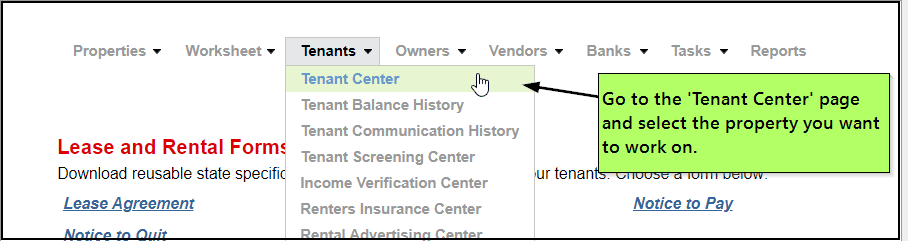
Tenant portal and communication tools
Centralized communication reduces the risk of missed updates and scattered records.

6. Basic tasks feel harder than they should

Sometimes the features exist, but daily use still feels clumsy. If common tasks take too many clicks, require repeated training, or confuse new staff, that friction adds up every week.

Usability matters because property management is high frequency work. Small delays repeat across every property and every rent cycle.

7. Pricing no longer matches value

Some teams outgrow low-tier plans and discover that needed functionality sits behind upgrades. Others pay for broad feature sets they barely use. In both cases, the platform is misaligned with the actual business.

If pricing and workflow value no longer match, it is time to compare alternatives more seriously.

A Simple Checklist Before You Decide

Fast self-audit

Use this short checklist to decide if the switching question is becoming urgent.

  • your team uses spreadsheets to fill software gaps
  • reporting takes too long every month
  • owner or tenant communication feels scattered
  • new staff need too much training for simple work
  • support delays are affecting operations
  • pricing feels out of line with actual value

If several items are true at the same time, it is usually time to evaluate better-fit options.

How to Evaluate the Next Platform

Step-by-step review process

Do not switch just because you are frustrated. Switch because a better option clearly solves your current problems. A short evaluation process can prevent one bad fit from becoming another.

  1. List your biggest workflow problems.
  2. Separate must-have fixes from nice-to-have upgrades.
  3. Test reporting, rent collection, maintenance, and communication tasks.
  4. Ask what onboarding and support are included.
  5. Compare total workflow value, not just subscription price.

If you want to review a live example, you can look at SimplifyEm’s features and pricing to compare workflow coverage and plan fit.

What a Better Fit Should Include

Core capabilities to review

A stronger platform should make routine work simpler, clearer, and easier to track. It does not need the longest feature list. It needs the right set of tools for your current operation.

  • clean accounting and income-expense tracking
  • online rent collection
  • tenant and lease management
  • owner reporting
  • maintenance request tracking
  • document storage
  • clear communication history
  • responsive onboarding and support

If you are already convinced a move is coming, the next step is planning the transition itself. This companion guide on how to switch property management software covers the migration side.

FAQ: When to Switch Property Management Software

Common questions

  • How do I know if I have outgrown my property management software?

    You have likely outgrown it when daily work depends on spreadsheets, repeated manual steps, slow reports, or scattered communication. A good platform should centralize routine work. If your team keeps building side processes to get basic tasks done, your current system is probably no longer a good fit.

  • When is the best time to switch property management software?

    The best time to switch property management software is before recurring system problems start affecting rent cycles, owner reporting, tenant communication, or staff output. Switching early is usually less disruptive than waiting until errors, support delays, and workflow bottlenecks become operational problems.

  • Is switching software always necessary when a team is frustrated?

    No. Some issues come from poor setup, weak training, or underused features. That is why a short evaluation matters. If the main problems come from workflow mismatch, limited reporting, or poor support, then a software switch may be the more practical answer.

  • What should I compare when reviewing replacement platforms?

    Focus on the work your team does most often. Review accounting, rent collection, maintenance, owner reporting, communication history, onboarding, and support responsiveness. A platform should make high-frequency tasks easier. It should not just look good in a feature checklist or sales demo.

  • Can smaller landlords benefit from switching software too?

    Yes. Smaller landlords switch when they want simpler accounting, easier online rent collection, clearer records, or less time spent on admin work. The right fit is not about being large. It is about whether the platform supports your actual workflows without adding unnecessary friction.

Conclusion: Switch Before Friction Becomes Normal

Final recommendation

Knowing when to switch property management software comes down to one simple test: is your current system making daily work easier or harder? If reporting is slow, communication is scattered, support is weak, or your team depends on manual workarounds, the software is likely costing more than it saves. That is usually the point where staying put becomes the riskier option.

The best replacement will fit your current portfolio, improve routine workflows, and support growth without forcing constant side processes. If you are ready to compare options, review SimplifyEm’s features and pricing or start a free trial to see whether the platform is a better operational fit for your team and portfolio.

Sources:

  • IRS – About Schedule E (Form 1040)
  • National Association of REALTORS – Property Management Resources

Primary Sidebar

SimplifyEm
Streamline Your Property Management

Schedule A FREE Demo

Table Of Contents

SimplifyEm

  • Property Management Software
  • SimplifyEm Reviews
  • About Us
  • Pricing
  • SimplifyEm CRM
  • Terms and Conditions
  • Privacy Policy
  • SimplifyEm Security

Features

  • Property Management
  • Online Rent Payments
  • Affordable Tenant Screening
  • Rental Listing
  • Request Demo
  • Accounting Software
  • Reconciliation
  • Tenant Screening
  • 1099 eFiling Feature
  • Reports
  • Communication Center
  • Integrated Rental Application
  • Rental Listing
  • Online Rent Payments
  • Tenant Portal
  • AI in Property Management

Forms

  • Lease Agreement
  • Notice To Quit
  • Notice To Pay Rent
  • Rental Application
  • Rental Inspection
  • Lease Termination
  • Eviction Notice

Resources

  • Blog
  • Property Management Companies
  • Law
  • Buzz
  • FAQ

Company

  • Contact Us
  • Support
  • Press And Media
  • Career


SimplifyEm Property Management Software Logo

Follow us

Facebook Instagram Twitter LinkedIn YouTube

Download App

Google Play App Store
SimplifyEm Google Reviews - Rated 4.8 out of 5 SimplifyEm G2 Reviews - Rated 4.7 out of 5 SimplifyEm Software Advice Reviews - Rated 4.8 out of 5 SimplifyEm Capterra Reviews - Rated 4.7 out of 5

Copyright © 2026 SimplifyEm Inc. · All rights reserved.

Get Your Lease Agreement Form in Just One Step

Please enter required details.
I am a: